Easter Games
Zoonomaly Unblocked
Zoonomaly Cat

Choo‑Choo Charles

Palworld
Weekly Picks
Zoonomaly Unblocked
Zoonomaly Cat
Choo‑Choo Charles
Palworld



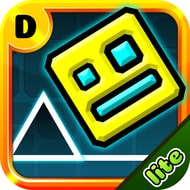
Geometry Dash Lite looks like a one-button toy at first glance — a single square, a single tap, a flat line of spikes on the other side of the screen. It plays like something far less forgiving: a memorization-heavy rhythm test where one mistimed tap sends you straight back to the start.
The controls never change across fifteen levels: click, tap, or hit the up arrow to jump, and the cube never stops moving forward. Difficulty comes entirely from timing that input against spikes, gaps, and saw blades scrolling at a fixed pace.
What makes it harder than it looks is how tightly obstacles pack together a few levels in, with chained jumps and no cue beyond the obstacle shape itself.
Normal Mode strips away any safety net — hit one spike and you’re back at the beginning.
New players almost always die in the same spot at first: a tight double-jump where the timing window looks generous until forward speed is factored in.
The second mistake is treating every level like the last one — each paces its spacing differently, and players who don’t adjust keep dying at the same beat.
Casual players tend to bounce off within the first few levels for this reason, while players chasing a clean run treat every death as information.
Practice Mode is the one concession to that unforgiving structure — instead of restarting from zero, players drop checkpoints and rebuild section by section.
Working through it efficiently usually follows a pattern:
By the later levels, the gap between what Practice Mode makes manageable and what Normal Mode demands becomes the real test.
Geometry Dash Lite lets players swap the cube for a different icon, and while purely cosmetic, regulars pick a shape that reads clearly against their screen.
Only real playtime reveals how the backing track lines up with obstacle placement — experienced players stop watching spikes and start listening for the beat.
The most divisive part is the total restart rule in Normal Mode. Some treat it as the entire point; others find it punishing once a single tap wipes a long, clean attempt.
Geometry Dash Lite never adds a second button or a story to lean on — the fifteen-level climb rests on reading a saw blade’s position against a beat you’ve memorized. Normal Mode keeps the stakes honest; Practice Mode is there for isolating one bad jump. That’s the whole game.





 Fullscreen